
Welcome to Sphynxlair! Connect with Sphynx owners & enthusiasts around the world!

Tips for taking pictures of your Sphynx

admin

Administrator
Staff member
Joined
Jan 13, 2009
Messages
23,722
Points
643
Do you just put your digital camera settings on "automatic" and shoot away? Generally getting an "ok" picture here and there? If your lucky? If you want a high-quality picture of your sphynx or pet, you will need to take more control of your camera's functions. If you are like me, you have no idea what f-stop is or shutter speed or how about aperture? Any way i thought i would come up with a kind of "amateur pet photographer" tutorial and I will try to keep it simple.

1. Lighting- Lighting is key! Outside photos work best on pets but if your inside try to get extra lighting in darker rooms. Bring a plug in lamp or two to light up that dark room. Try to avoid flash when possible or you will get the "green" or "red" eye.

2. Position- Get down low with pets unless you have an elephant or lion as a pet. Lay down on the carpet or floor in different positions or angles until you get that perfect shot. Always try to focus on the eyes in a photo. Don't be afraid to take a paw shot or half the face with a great whisker shot or in the Sphynx cats case the "broken whisker" shot!

3. Digital camera settings-I will make this as easy as possible for the best "auto" results.

A. Portrait shots- use the "portrait" feature. on your camera it usually has an icon of a persons face. This will focus on your pet and leave the background a little "fuzzy" or "out of focus".

B. Action shots- How about those "tongue out of mouth" shots or the famous yawning cat shots. You want to put your camera setting on the icon of the "skier" or "sports" type icon. This will give you a faster shutter speed for action.

Tip: Never delete photos on your digital camera while you are in the shooting session! what looks horrible on a 2" LCD screen may be a wonderful photo on your desktop computer.

 

Snowball

Lairian
Joined
Oct 6, 2011
Messages
211
Points
66
I've always wondered if people have those really special snapshot cameras that I don't have. Not the professional ones that cost over $500, but the digital ones that cost about $100-300, but a really good one that doesn't take about 2-3 seconds to take a picture because it starts to blurr.

Thank you so much for posting up tips. It has helped me a lot!
 

admin

Administrator
Staff member
Joined
Jan 13, 2009
Messages
23,722
Points
643
I didn't receive my registration email confirmation

Under normal circumstances you will receive an email confirmation within a few minutes of registering on Sphynxlair.com.

Common problems that occur if you DID NOT receive your email confirmation:

Free email accounts

Email accounts like Gmail, AOL and Yahoo can at times block email messages from unknown senders or messages considered "spam". Please check your spam settings or contact your email service provider if you have any questions or concerns.

Check your Spam, Trash and Junk email folders

Always check your spam, trash and junk mail folders for a message from the Sphynxlair community. Many times free email services route email to these folders.

Check and adjust your email Blocking or Spam settings

Check your email settings for SPAM or Blocked Senders. Please make sure your email service can accept messages from Shynxlair.com - You may have to add our email address [email protected] or Sphynxlair's domain in the settings section of your email service.

_______________________________________________________________
Posting a new Thread

To post a new message - or "thread", pick the the forum topic you are interested in that bests suites your question, comment or needs, for example "Sphynx Cat Questions?" Then, click on the "Post new Thread" button:

Screen Shot 2013-10-27 at 11.07.51 AM.png


A message box will appear allowing you to type your new message. Please remember to enter a suiting 'Thread Title' for your message. After you have finished, please click "Create Thread".

Screen Shot 2013-10-27 at 11.12.56 AM.png


__________________________________________________________________
Replying to a Message or Thread

Scroll down to the last message and you will se a "Write your Reply" box were you can reply to a message or thread.

Screen Shot 2013-10-27 at 11.22.02 AM.png

____________________________________________________________
Uploading images into Threads and Messages

Sphynxlair allows you to upload picture files into your threads or messages (in JPG, GIF, PNG, JPEG, PDF, JPE, GIF, or TXT) up to 1024KB - the maximum dimensions of pictures is 600 x 600.

To upload an image do the following:

1. In the message box - click the "Upload File" button.

1__#$!@%!#__Screen Shot 2013-10-27 at 11.07.51 AM.png


2. Select the image file to upload from your computer.

Screen Shot 2013-10-27 at 11.45.42 AM.png


3. Choose Thumbnail or Full Image. (Thumbnail is a small image that enlarges in a viewer when clicked.)

1__#$!@%!#__Screen Shot 2013-10-27 at 11.12.56 AM.png


4. Click the "Post Reply" button when photo is uploaded. Don't forget to add a message if you would like before submitting.

You can also type in a URL to insert an image or media from a different website. Click the correct button:

Image
pic.png


Paste or type URL of image.

UUUUUUYYYYY.png


Media
med.png


Note: You may include up to 5 image files per post.
 
Last edited:

fuzzy bare

Lairian
Joined
May 3, 2012
Messages
84
Points
29
Do you just put your digital camera settings on "automatic" and shoot away? Generally getting an "ok" picture here and there? If your lucky? If you want a high-quality picture of your sphynx or pet, you will need to take more control of your camera's functions. If you are like me, you have no idea what f-stop is or shutter speed or how about aperture? Any way i thought i would come up with a kind of "amateur pet photographer" tutorial and I will try to keep it simple.

1. Lighting- Lighting is key! Outside photos work best on pets but if your inside try to get extra lighting in darker rooms. Bring a plug in lamp or two to light up that dark room. Try to avoid flash when possible or you will get the "green" or "red" eye.

2. Position- Get down low with pets unless you have an elephant or lion as a pet. Lay down on the carpet or floor in different positions or angles until you get that perfect shot. Always try to focus on the eyes in a photo. Don't be afraid to take a paw shot or half the face with a great whisker shot or in the Sphynx cats case the "broken whisker" shot!

3. Digital camera settings-I will make this as easy as possible for the best "auto" results.

A. Portrait shots- use the "portrait" feature. on your camera it usually has an icon of a persons face. This will focus on your pet and leave the background a little "fuzzy" or "out of focus".

B. Action shots- How about those "tongue out of mouth" shots or the famous yawning cat shots. You want to put your camera setting on the icon of the "skier" or "sports" type icon. This will give you a faster shutter speed for action.

Tip: Never delete photos on your digital camera while you are in the shooting session! what looks horrible on a 2" LCD screen may be a wonderful photo on your desktop computer.
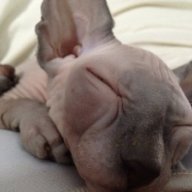
this was a great thing for me to read. I keep trying to get great pictures of Fuzzy. He keeps me intertained and try to catch him doing his stuff, but as you said i do delete before i see them on the computor.
Do you just put your digital camera settings on "automatic" and shoot away? Generally getting an "ok" picture here and there? If your lucky? If you want a high-quality picture of your sphynx or pet, you will need to take more control of your camera's functions. If you are like me, you have no idea what f-stop is or shutter speed or how about aperture? Any way i thought i would come up with a kind of "amateur pet photographer" tutorial and I will try to keep it simple.

1. Lighting- Lighting is key! Outside photos work best on pets but if your inside try to get extra lighting in darker rooms. Bring a plug in lamp or two to light up that dark room. Try to avoid flash when possible or you will get the "green" or "red" eye.

2. Position- Get down low with pets unless you have an elephant or lion as a pet. Lay down on the carpet or floor in different positions or angles until you get that perfect shot. Always try to focus on the eyes in a photo. Don't be afraid to take a paw shot or half the face with a great whisker shot or in the Sphynx cats case the "broken whisker" shot!

3. Digital camera settings-I will make this as easy as possible for the best "auto" results.

A. Portrait shots- use the "portrait" feature. on your camera it usually has an icon of a persons face. This will focus on your pet and leave the background a little "fuzzy" or "out of focus".

B. Action shots- How about those "tongue out of mouth" shots or the famous yawning cat shots. You want to put your camera setting on the icon of the "skier" or "sports" type icon. This will give you a faster shutter speed for action.

Tip: Never delete photos on your digital camera while you are in the shooting session! what looks horrible on a 2" LCD screen may be a wonderful photo on your desktop computer.
 

Silke

V.I.P Lairian
V.I.P Lairian
Joined
Aug 21, 2015
Messages
3,069
Points
588
I wanted to add come things :)
First of all, if you use a flash (even an inbuilt one) use (or make yourself) a diffuser.
It's pretty simple:
1. Flash tends to wash out / overlight the image.
2. You get red (or in the case of an animal: green/blue) eye.
3. It delays taking the shot / freaks the subject out (in the case of burst flash)

DSCN2235.JPG DSCN2237.JPG
This is my Canon EOS 550D. It has quite a powerful inbuilt flash. FAR too powerful for anything close up.
So I make myself a diffuser. It's literally a white (if possible thin / opaque) piece of paper, fixed either side of the flash with a piece of sticky tape. (I use electrical tape, as it doesn't leave marks)
The above were taken with a Nikon Coolpix. (Without a diffuser)
Result?
IMG_0070a.JPG
No "Red Eye", not washed out.
However...
IMG_0074a.JPG
I also sometimes use one of these. It's a 50cm Reflector. It's Paul's, he used to use it for his camera work.
I decided to keep it, as I've used it a few times in the past, and really like what you can get with them.
Here is a good article on how (and when, and why) to use one: How to Use a Reflector

Here is a VERY good article on Flash Diffusers:
How to Radically Improve Your Photos with a Flash Diffuser

I hope this will give the budding photographers some food for thought.

Lighting is the be-all and end-all of photography. :)
 
Back
Top